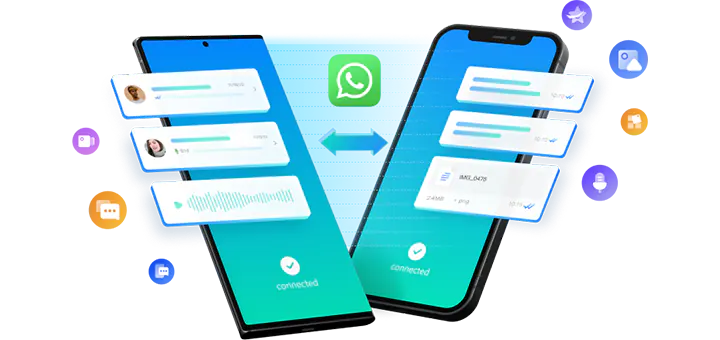
問題: 如何將WhatsApp從三星轉移到iPhone
我收到了一部 iPhone 14 Pro Max 作為我的生日禮物, 所以我想從舊手機 Samsung Galaxy S20 切換到 iPhone. 我可以將 WhatsApp 資料從三星轉移到新 iPhone 上嗎? 如何? 有沒有免費的方法?
回答:
是的, 確實有免費的方法將 WhatsApp 從 Samsung 轉移到 iPhone:
使用 Move to iOS 應用程式將 WhatsApp 從三星轉移到 iPhone
透過電子郵件將 WhatsApp 從三星遷移到 iPhone
使用 Move to iOS 應用程式將 WhatsApp 資料從三星免費傳輸到 iPhone 時, 您應該從 Google Play 商店下載該應用程式並將其安裝在您的 Samsung Galaxy S20 上. 您可以將三星和 iPhone 連接到同一個 Wi-Fi 網絡,或讓三星手機加入 iPhone 自動建立的臨時 Wi-Fi 網絡. 您的 iPhone 應該已恢復原廠設定或已重置. 也就是說, 如果您需要使用 Move to iOS 應用程式免費將 WhatsApp 訊息從 Samsung 轉移到 iPhone, 您的 iPhone 之前不應該被設定過. 對於新手來說,三星到 iPhone WhatsApp 的傳輸過程有點複雜, 您可以在有關的操作方法文章中找到詳細說明 將 WhatsApp 聊天從 Android 轉移到 iPhone.
這是一種完全免費的將 WhatsApp 訊息從 Samsung 傳輸到 iPhone 的方法, 該應用程式是由蘋果公司開發的. 請注意,該應用程式在 Google Play 商店中收到大量低評級和負面評論,並且在將 WhatsApp 從三星轉移到 iPhone 之前,不應設定您的 iPhone. 如果您已經使用 iPhone 好幾天了, you might be asked to erased your iPhone first so as to backup WhatsApp Samsung to iPhone. If you don’t want to lose the data created after the setup of the iPhone, it’s highly recommended to try ways of transferring WhatsApp from Android to iPhone after setup.
The other 100% free method of backing up WhatsApp Samsung to iPhone
is through email. It’s rather easy to move WhatsApp from Android to iPhone via email by following the steps in the linked page. The messages and media files of WhatsApp will be sent to your email on iPhone as .txt file and separate media files as attachments. If you need to view the WhatsApp chats, you may have to check the texts and media files separately, which might be far less intuitive than browsing the chats in WhatsApp. In addition, as the WhatsApp messages are saved as a txt file and media files, they cannot be imported to WhatsApp app to your iPhone or Android any more.
If the above free methods don’t satisfy your needs, 例如. your iPhone is not brand new, you don’t want to erase the current data on your iPhone, or saving WhatsApp chats as separate text and media files is not acceptable, you still have other easy methods of migrating WhatsApp from Samsung to iPhone:
Move WhatsApp from Samsung to iPhone Without PC
With the help of professional Samsung to iPhone WhatsApp transfer such as Mutsapper 和 MobileTrans, you can easily connect your Samsung and iPhone, and directly transfer WhatsApp data from Samsung to iPhone without computer. The best advantage of this method is that there is no need to reset or erase the target iPhone since the WhatsApp data transfer will merge the WhatsApp data on both phones. The details steps can be found in the following article:
Migrate WhatsApp from Android to iPhone without PC.
Transfer WhatsApp from Samsung to iPhone on Computer
If you don’t have any OTG cable(or OTG adapter) or USB-C to Lightning cable on hand, you can still use Mutsapper Desktop Toolkit, MobileTrans or the Transfer WhatsApp messages module in Dr.Fone to migrate WhatsApp data from Samsung to iPhone on your Windows or macOS computer by connecting the devices separately to the computer. The same as the above method, you don’t have to factory reset the iPhone before the WhatsApp transfer, the software will keep the messages on both devices and put them together onto your iPhone. For the details, please check:
Transfer WhatsApp Messages from Android to iPhone on PC.
Backup WhatsApp from Samsung to iPhone
If your Samsung device is not accessible any more, and you have backed up the WhatsApp chats to your computer previously, you can directly restore WhatsApp backup from Samsung to iPhone using MobileTrans 或者Dr.Fone. 當然, you can also back up your Samsung device to your computer and restore to iPhone at any desired time with the assistance of one of the WhatsApp backup & restore tools mentioned above.
If you need any instructions of this method, go and check
Backup WhatsApp from Android to iPhone.
Restore Samsung WhatsApp Google Drive Backup to iPhone
If you didn’t back up your WhatsApp data to your computer, but did create a backup to Google Drive, you can use MobileTrans to download the backup files from the Google Drive server, and restore to your old or new iPhone.
Just follow the steps:
Restore Android WhatsApp Google Drive Backup to iPhone