PDF to Microsoft Office Word, Excel & PowerPoint converter
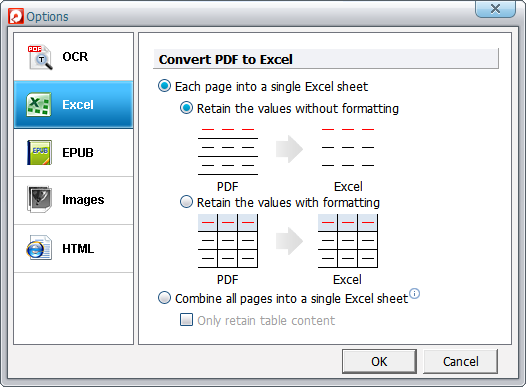
This PDF transformer allows you to convert all kinds of PDF files to MS Word documents, Excel spreadsheets, PowerPoint presentations and slide shows for further editing and sharing.

PDF to eBook converter
This PDF file converter enables you to convert PDF to EPUB eBooks for reading on iPhone, iPhone 4, iPhone 4S, iPhone 5, iPhone 5c, iPhone 5s, iPhone 6, iPhone 6 Plus, iPhone 6s, iPhone 6s Plus, iPhone SE, iPhone 7, iPhone 7 Plus, iPhone 8, iPhone 8 Plus, iPhone X, iPhone XR, iPhone XS, iPhone XS Max, iPhone 11, iPhone 11 Pro, iPhone 11 Pro Max, iPhone SE (2nd generation), iPhone 12 mini, iPhone 12, iPhone 12 Pro, iPhone 12 Pro Max, iPhone 13 mini, iPhone 13, iPhone 13 Pro, iPhone 13 Pro Max, iPhone SE (3rd generation), iPhone 14, iPhone 14 Plus, iPhone 14 Pro, iPhone 14 Pro Max, iPhone 15, iPhone 15 Plus, iPhone 15 Pro, iPhone 15 Pro Max, iPod touch, iPad, iPad 2, iPad (3rd generation), iPad (4th generation), iPad (5th generation), iPad (6th generation), iPad (7th generation), iPad (8th generation), iPad (9th generation), iPad (10th generation), iPad mini, iPad mini 2, iPad mini 3, iPad mini 4, iPad mini (5th generation), iPad mini (6th generation), iPad Air, iPad Air 2, iPad Air (3rd generation), iPad Air (4th generation), iPad Air (5th generation), iPad Pro (12.9-inch), iPad Pro (9.7-inch), iPad Pro (10.5-inch), iPad Pro 12.9-inch (2nd generation), iPad Pro 11-inch, iPad Pro 12.9-inch (3rd generation), iPad Pro 11-inch (2nd generation), iPad Pro 12.9-inch (4th generation), iPad Pro 11-inch (3rd generation), iPad Pro 12.9-inch (5th generation), iPad Pro 11-inch (4th generation), iPad Pro 12.9-inch (6th generation), Kindle Fire, Kindle touch, Nook Tablets, Sony Reader, Kobo eReader without the annoying zooming in and out.

PDF to Image converter & PDF image extractor
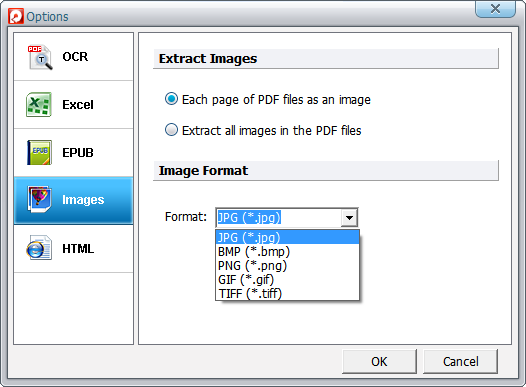
As a PDF to Image converter and PDF extractor, this PDF converter not only helps you save PDF files as popular image formats such as JPG, PNG, GIF, TIFF and BMP, but also extract all images from PDF documents.

Scanned PDF converter with OCR
Working as an OCR PDF converter, this PDF tool makes it possible for you to convert scanned handwritten, typewritten or printed text of image-based PDF files to machine-encoded and editable text, which saves you lots of time to computerize old PDF eBooks and documents for further editing, copying, printing and sharing. What's more, with the advanced OCR technology, it can perfectly recognize the following 17 languages: English, Turkish, Greek, German, French, Italian, Portuguese, Spanish, Russian, Polish, Czech, Slovak, Ukrainian, Bulgarian, Croatian, Romanian, and Catalan.

PDF to HTML converter
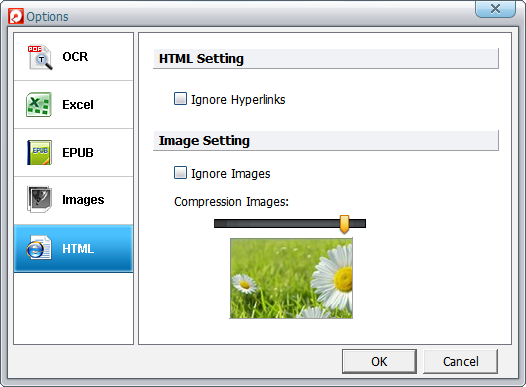
It will be a good way to build Web pages from PDF files within only 2 steps using this PDF to HTML converter. Have an own website won't be a dream any longer, since you can make Web pages from PDF files easily without professional knowledge in the field of website design and unnecessary costs of hiring a typewriter.

Batch PDF converter
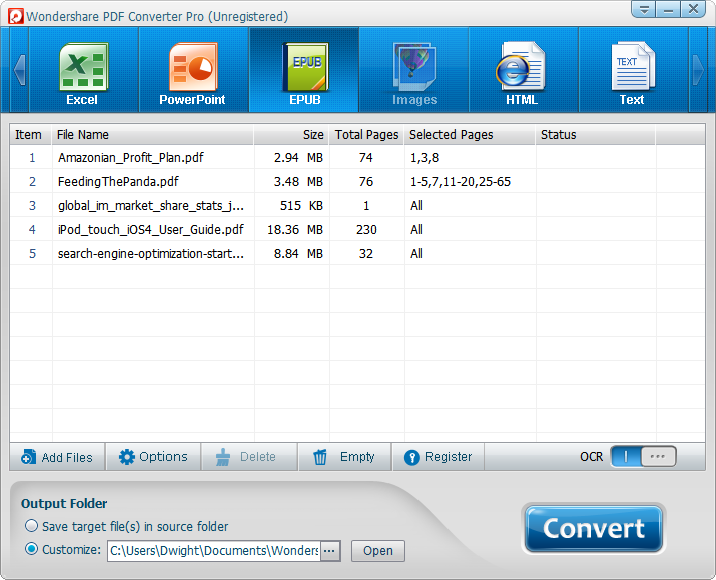
This PDF converter software lets you import multiple PDF documents and convert up to 200 PDF files at one time in batch, which will highly increase the efficiency of your learning, working and life.

Secured PDF converter
It is amazing that this PDF converter can also convert secured PDF files which are protected from editing, copying and printing. For the password-protected PDF files from opening, it can also convert them directly if the password is typed in the pop-up dialog box.
Conversion from pdf to word is outstanding especially with OCR.
--Mason Baker
A very easy software to use, with a wide range of options available without them being too sophisticated. The conversion rate is very fast and the interface is very good. A must have for those who're looking for an easy pdf converter.
--Grant Henderson
This product is easy to use, it spends just few seconds to convert from PDF document to word document. Moreover, the software offers numerous features to elaborate as you want the document that you want to convert.
--Bradley Gray
It converts pdf to word as promised in nearly the same format as shown in the pdf.
--Annie Simmons
Easy to download to Windows 7. Rapid conversion.
--Edwin Ford
I get what I expect. Just converted a form and was able to fill in all the fields with ease.
--Nicolas Barnes
I had this on my old laptop wich was Windows XP. I liked it a lot. I told a lot of people about it. I now have a new laptop with Windows 7.
--Fernando Owens
Was pleasantly surprised by ease of use and the speed to convert 100+ pdf files.
--Cody Hicks